Akai MPC One — VS — Native Instruments Maschine Mikro Mk3
Akai MPC One
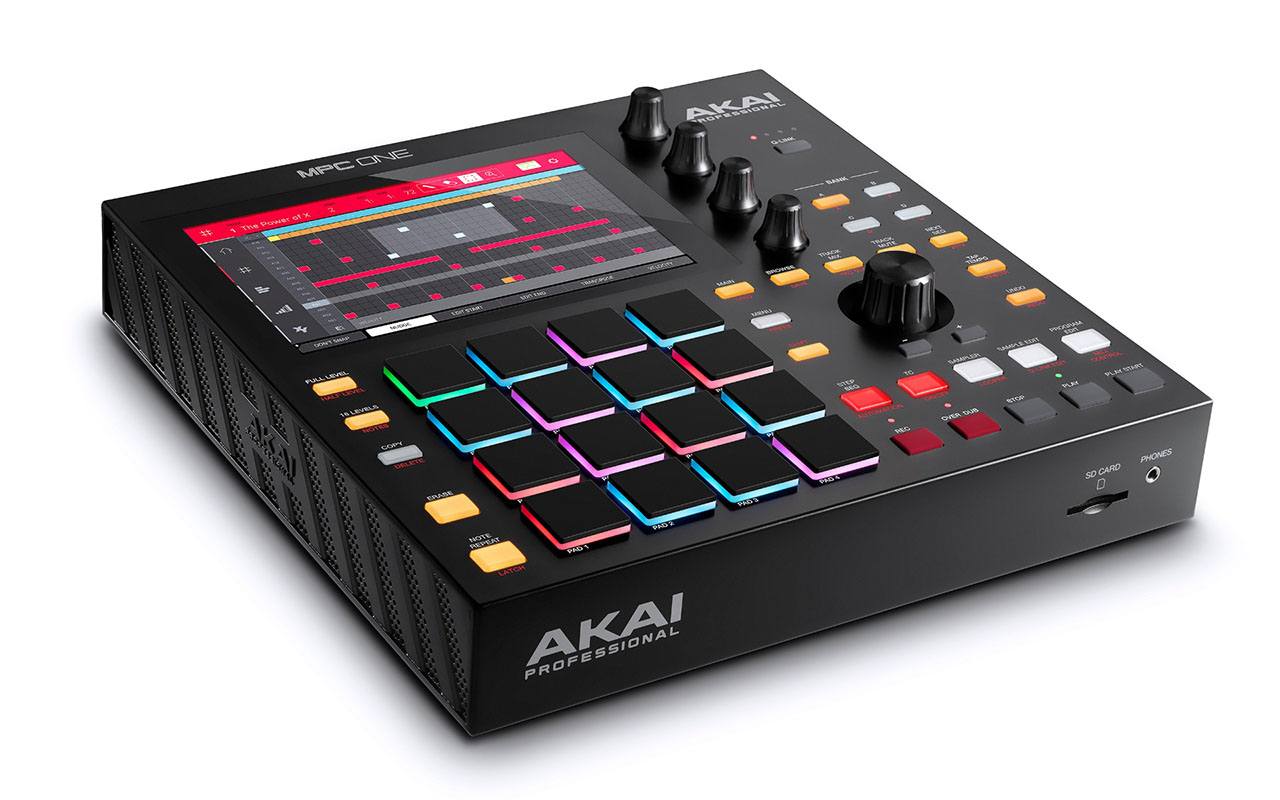
The MPC One is a powerful music-making machine that works all by itself—no computer needed. It has 16 colorful pads, a big touchscreen, and easy-to-use knobs to help you make beats, melodies, and more. You can plug in your other gear, record sounds, and even edit your music right on the screen. It's fast, fun, and built to grow with you as your music skills get better.
Native Instruments Maschine Mikro Mk3
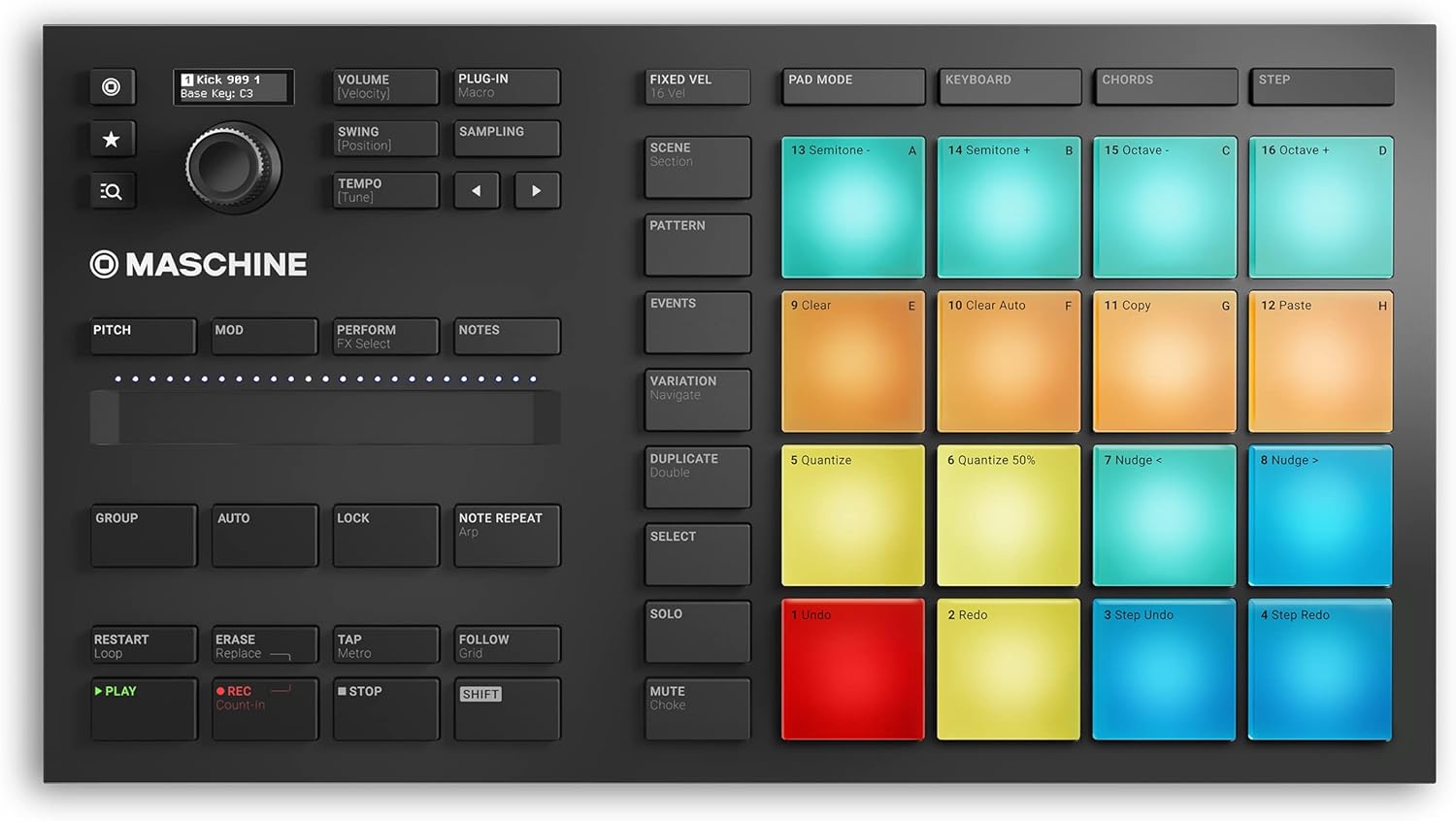
MASCHINE MIKRO Mk3 is a small, easy-to-use music tool that helps you make beats and songs with your computer. It works great with your favorite music software and gives you hands-on control with its 16 touch pads.</p><p class='text-gray-700 mb-4'>You can tap out drum beats, play melodies, build chords, or use the classic step-by-step method to create music. It comes with a bunch of built-in sounds—like drums, loops, and instruments—so you can start making tracks right away. MASCHINE MIKRO is powered by USB and works with all the major music programs like Ableton Live, Logic Pro, and FL Studio. It's a fun and powerful way to bring your music ideas to life.
| Spec | Akai MPC One | Native Instruments Maschine Mikro Mk3 |
|---|---|---|
| Manufacturer | Akai Professional | Native Instruments |
| Year Released | 2020 | 2017 |
| Polyphony | 128 | 128 |
| Sample Rate | 44.1kHz | 44.1kHz |
| Storage | Internal SSD | Internal storage |
| Pads | 16 velocity-sensitive RGB pads | 16 large velocity-sensitive pads |
| Sequencer | Yes | Yes |
| Effects | EQ, Reverb, Delay, Compression | EQ, Reverb, Delay |
| I/O | MIDI In/Out, USB, Audio In/Out | MIDI In/Out, USB, Audio Out |
| Screen | 7-inch multi-touch display | Full color display |
| Software Integration | MPC Software | Maschine Software |
| Build | Standalone | Controller |
| Price | $700 | $269 |
| More about | Details | Details |
Buy the Akai MPC One on Amazon.com
Buy Now On AmazonBuy the Native Instruments Maschine Mikro Mk3 on Amazon.com
Buy Now On AmazonComparing the Akai MPC One and Native Instruments Maschine Mikro Mk3
If you’re diving into the world of music production, you may have stumbled upon two popular beat-making devices: the Akai MPC One and the Native Instruments Maschine Mikro Mk3. These samplers are like magic boxes that help you create awesome music from scratch. Though they seem similar, each has its own special features and strengths. Let’s take a closer look at what makes these two samplers tick!
Introduction
Music production is super fun and exciting, especially when you have the right tools to make your beats come alive! Today, we’re going to explore two fantastic devices that can help you create amazing music: the Akai MPC One and the Native Instruments Maschine Mikro Mk3. Whether you’re a beginner or a seasoned music maker, these samplers can be your best friends in the studio. Let’s find out which one suits your needs the best.
Feature Comparison
Design and Build
The Akai MPC One and the Native Instruments Maschine Mikro Mk3 both have sleek designs, but they are built for different purposes. The MPC One is a standalone device, which means you don’t need a computer to use it. It has a sturdy build with a 7-inch multi-touch display, making it easy to see and edit your music. The Maschine Mikro Mk3, on the other hand, is a controller. This means it works alongside your computer to make music. It’s compact and powered by USB, making it easy to carry around and use with your favorite music software.
Pads and Usability
Both devices feature 16 velocity-sensitive pads, great for tapping out your beats. The MPC One’s pads are colorful and light up with RGB lights, which is not only cool but also helps you know which sounds you’re playing. The Maschine Mikro Mk3 also has large pads that are very responsive, giving you the feel of a real drum kit under your fingertips.
Screen and Display
The Akai MPC One stands out with its 7-inch multi-touch display. This large screen makes it easy to navigate through your music tracks, edit beats, and apply effects. You can do almost everything right on the device. The Maschine Mikro Mk3 features a full-color display that lets you see your sounds and settings. While it’s not as big as the MPC One’s display, it still gives you a clear view of your music.
Effects and Sounds
Both the MPC One and the Maschine Mikro Mk3 come with a variety of effects like EQ, Reverb, and Delay. The MPC One takes it a step further with Compression, giving you more options to shape your sound. The Maschine Mikro Mk3 comes with a bunch of built-in sounds, including drums, loops, and instruments, which means you can start making music right away.
Connectivity and Integration
The MPC One is designed to be a standalone device, equipped with MIDI In/Out, USB, and Audio In/Out ports. This means you can connect it to other instruments or gear without needing a computer. It uses MPC Software for additional features and updates. The Maschine Mikro Mk3, being a controller, requires a computer to function. It connects via USB and integrates well with popular music software like Ableton Live, Logic Pro, and FL Studio using the Maschine Software.
Price
Price is an important factor when choosing a music production device. The Akai MPC One is priced at $700, while the Native Instruments Maschine Mikro Mk3 is more budget-friendly at $269. The difference in price reflects their different capabilities and the fact that one is a standalone device and the other is a controller.
Pros and Cons
Akai MPC One
Pros
- Standalone Operation: No need for a computer; you can make music anywhere.
- Large Touch Display: Easy to see and edit your music with the 7-inch screen.
- Lots of Effects: Includes Compression for more sound-shaping options.
- Robust Connectivity: MIDI, USB, and Audio In/Out for connecting other gear.
Cons
- Higher Price: At $700, it’s a bigger investment.
- Complex for Beginners: More features can mean a steeper learning curve.
Native Instruments Maschine Mikro Mk3
Pros
- Affordable: At $269, it’s easier on the wallet.
- Great Software Integration: Works seamlessly with popular music software.
- Built-in Sounds: Comes with a library of sounds to start creating right away.
- Portable: Compact and easy to carry around.
Cons
- Requires a Computer: Needs to be connected to a computer to work.
- Smaller Display: The screen is not as large or feature-rich as the MPC One.
Final Verdict
Both the Akai MPC One and the Native Instruments Maschine Mikro Mk3 are great tools for music production, but they cater to different needs and users. If you’re someone who wants to make music without being tied to a computer and you’re willing to invest more for a device with standalone capabilities, the Akai MPC One is your best bet. It’s ideal for musicians who want to take their music-making on the road or enjoy the freedom of editing directly on the device.
On the other hand, if you’re just starting out or prefer using your computer to create music, the Native Instruments Maschine Mikro Mk3 is perfect. It’s affordable, integrates well with many software programs, and is portable. This makes it an excellent choice for beginners or hobbyists who want a simple, effective tool to bring their musical ideas to life.
No matter which sampler you choose, both will offer you countless hours of fun and creativity in making music!